

For decades, CRM systems have focused on structured data: stages, values, probabilities, targets, activities. Useful, yet incomplete.
Sales is not driven by numbers alone. It is driven by signals. Tone. Momentum. Confidence. Hesitation. The emotional direction of customer conversations often tells you more about a deal than any number on a dashboard ever could.
That is why this is such a major breakthrough.
TeamGram CRM’s new AI-powered sentiment analysis for notes introduces an entirely new dimension to CRM: the ability to detect and surface the emotional direction of customer interactions automatically. It turns ordinary sales notes into visible, actionable signals that help teams spot momentum, recognize risk, and understand pipeline health more clearly than ever before.
This is more than a new feature. It is one of the biggest steps forward CRM has taken in years.
CRM Can Now Read More Than Data
Traditional CRM systems are excellent at storing facts. They can tell you what stage an opportunity is in, how much it is worth, when the last activity happened, and what probability has been assigned.
But they have always struggled with something just as important: how things actually feel.
Did the customer sound enthusiastic? Did the meeting go well? Was there hesitation in the response? Did a phone call reveal hidden concerns? Was the tone of the conversation encouraging or worrying?
These signals have always existed inside sales notes. But until now, they were buried in text, difficult to spot, and almost impossible to use consistently across the team.
TeamGram changes that.
Introducing AI Sentiment Analysis for Notes
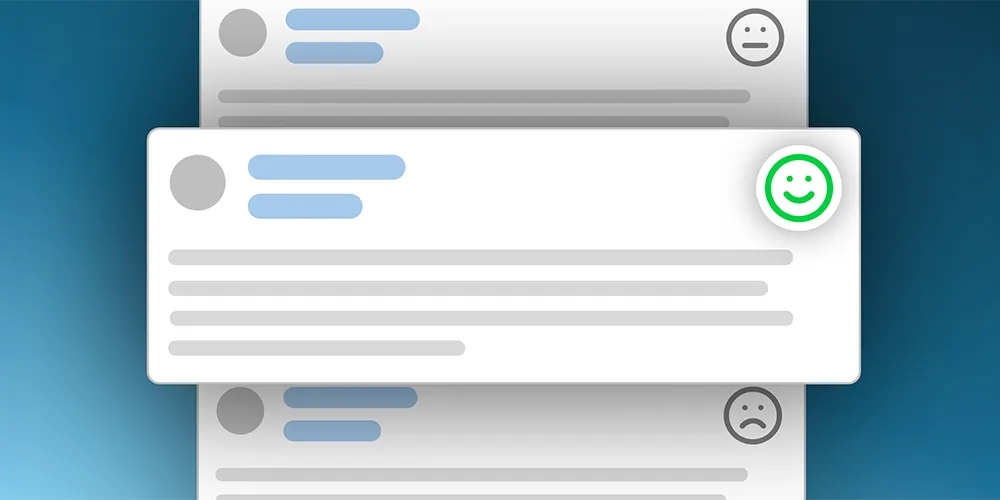
When your team posts notes about real customer interactions, TeamGram CRM can now analyze those notes automatically and assign a simple sentiment tag:
Positive
A positive sentiment means the interaction suggests healthy progress and stronger future sales potential.
Neutral
A neutral sentiment means the interaction does not clearly indicate either meaningful progress or clear concern.
Negative
A negative sentiment means the interaction suggests friction, hesitation, dissatisfaction, or another form of risk.
These tags appear on the upper right corner of the note, just like a manually added sentiment tag, but with a small AI badge next to them.
In one quick glance, anyone reading the note or scanning the news feed can immediately understand whether the interaction suggests forward momentum, no clear signal, or possible trouble.
That may sound simple. In reality, it is extremely powerful. Because for the first time, your CRM is not only recording what happened. It is helping interpret what it means.
When the Analysis Runs
This feature is designed to work only when sentiment can actually be inferred from a customer interaction.
That means the analysis runs when a note includes information about an interaction where the customer had a chance to express some kind of feedback, such as:
- An email received from the customer
- A meeting held with the customer
- A phone conversation with the customer
In these cases, the customer’s reaction, attitude, or tone may contain valuable signals about the health of the relationship and the direction of the opportunity.
The analysis does not run when:
- The note does not include a customer interaction where the customer could express feedback
- The note only describes an outbound action, such as an email sent without any reply yet
- The Relations box of the note is empty
- The user has already entered a sentiment value manually while creating the note
This ensures that sentiment is only added when it is relevant and meaningful.
AI Helps, Users Stay in Control
This feature is smart, but it does not override human judgment.
If the user selects a sentiment value manually while creating the note, AI sentiment analysis does not run.
And if the user is not happy with the AI-generated tag, it can easily be changed by editing the note, clicking Yes in the “Customer contacted?” question, and selecting a different sentiment tag.
That means TeamGram gives users the speed of AI without taking control away from the people who know the customer best.
A Faster Way to Spot Trouble in the News Feed
One of the most immediate benefits of this feature is how much easier it becomes to read the news feed.
In many teams, the news feed is where people stay informed about what is happening across customers, accounts, and opportunities. But reading every note in detail takes time, especially when the team is busy and activity levels are high.
Now the emotional direction of a note is visible instantly.
That makes it much easier to notice:
- which customer conversations are going well
- where risk may be emerging
- which accounts need attention
- where momentum is building
- where problems may be starting
Negative notes stand out faster. Positive developments become easier to recognize. The whole team gains a clearer, richer picture of what is happening without needing to read every line in full.
Feel the Mood of the Market
This feature is valuable not only at the level of individual notes, but also at the level of the market as a whole.
When a team’s feed starts to fill with positive notes, that may be a sign that customers are responding well, confidence is high, and the market is moving in a favorable direction.
When negative notes begin appearing more often, that may be an early warning that the environment is becoming tougher. Objections may be increasing. Enthusiasm may be fading. Deals may be becoming harder to move forward.
This kind of qualitative signal is incredibly valuable, yet traditional CRM systems have offered almost no way to capture it at scale.
TeamGram now does.
Sentiment Does Not Stop at the Note
The breakthrough goes even further.
Sentiment tags are also transferred to related opportunities and displayed in the pipeline.
So if a meeting note is tagged as positive, the related opportunity can also appear as positive in the pipeline. If a conversation reveals concern or resistance and the note is tagged negative, that signal can carry through to the opportunity as well.
This gives sales managers something they have never really had before: a pipeline that reflects not just numerical status, but emotional status too.
And that changes how pipeline management works.
Managers can now assess opportunities not only by stage, amount, or probability, but also by the sentiment emerging from real customer interactions.
That helps them:
- assess pipeline health more accurately
- identify deals that may be at risk earlier
- spot opportunities with strong momentum
- prioritize where to focus attention and coaching
- make better judgments about the true quality of the pipeline
In other words, the pipeline becomes more human, more realistic, and more useful.
Try It Now
The best way to understand the power of AI sentiment analysis is to see it in action with your own notes.
Follow these steps to try it:
1. Make Sure the Feature Is Enabled
First, go to: Control Panel > AI > Add sentiment for notes in the background
Make sure this setting is enabled. Only system administrators can change this setting. If unsure, ask your system administrator to check it.
2. Create a Note About a Real Customer Interaction
Click on an opportunity or a contact and add a note.
You can also go to the News Feed and create a note there. If you do, make sure you specify at least one related customer contact in the note’s relations.
3. Describe What Happened
Write a note describing your interaction with the customer.
You can type it manually, or simply click the microphone icon and dictate your note naturally, without worrying too much about expressing everything perfectly. If you want, you can then click Rewrite with AI to make the note clearer and more professional before saving it.
Then save the note.
4. Refresh the News Feed
Once the note is saved, refresh the news feed. If the note qualifies for analysis, you will see the new AI-generated sentiment tag appear on it.
5. Check the Pipeline Too
If the note is related to an opportunity, go to the pipeline view. You will see the same sentiment tag reflected there as well, giving you a quick visual signal about the health and direction of that opportunity.
How to Enable It
System administrators can enable or disable this feature from: Control Panel > AI > Add sentiment for notes in the background
Once enabled, TeamGram CRM automatically analyzes eligible new notes in the background and adds sentiment tags when appropriate. No action is taken for notes created before the feature is enabled.
How Does Pricing Work?
Like other AI features in TeamGram CRM, this feature uses the AI credits available in your account. When enabled, it runs automatically on all eligible notes that include a relation and do not already have a manually selected sentiment tag. The number of credits used depends on the complexity of each note’s content. If your credit balance reaches zero, the feature will be paused until additional credits are added.
- Depending on your subscription plan, your account may automatically receive a number of free AI credits at each renewal.
- If those free credits are not enough, you can purchase one of our additional credit packages.
- System administrators can check the account’s credit balance and load more credits from the Control Panel.
CRM Just Took a Big Step Forward
The best sales teams do not just track activity. They read situations well. They notice momentum. They sense hesitation. They respond early when something feels wrong and move faster when things are going right.
Now your CRM can help with that too.
With AI-powered sentiment analysis for notes, TeamGram CRM gives sales teams and managers a new kind of visibility: not just into what happened, but into the emotional signals behind it.
That is why this is more than a feature. It is a breakthrough for your sales team.