


In a fast-moving sales environment, it’s critical to know not just where your opportunities are in the pipeline—but how they’re really doing.
Outlook indicators in TeamGram CRM give you a quick, color-coded view of the health of every opportunity, helping sales teams prioritize their efforts and enabling managers to guide deals more effectively.
Here’s how outlook indicators work, why they matter, and how you can use them to improve your pipeline management.
What Are Outlook Indicators?
Each open opportunity in TeamGram CRM shows a color-coded outlook indicator in its lower right corner:
- Green (Positive): The deal is progressing well and has a good chance of closing.
- Gray (Neutral): The outcome is uncertain; the deal may need further development or follow-up.
- Red (Negative): The deal is at risk and may require immediate action—or could be lost.
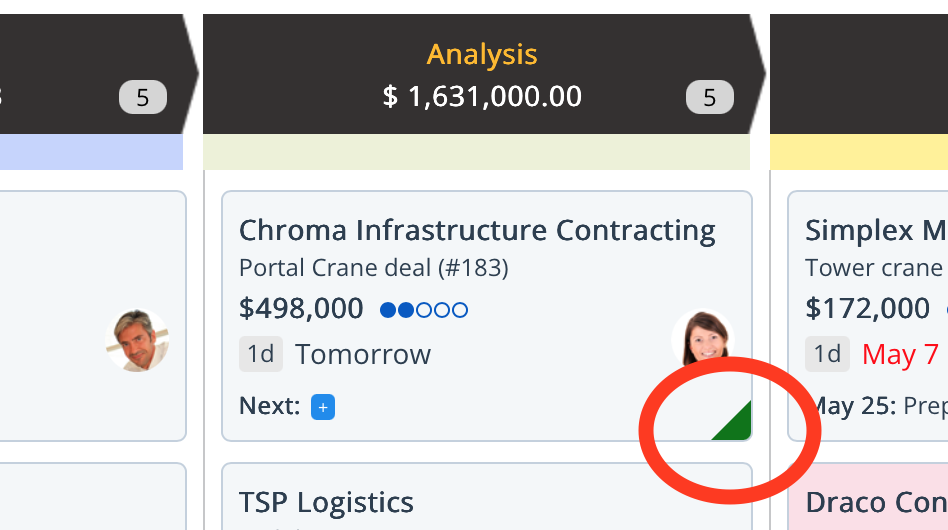
These simple visual signals provide instant clarity—without needing to read through notes or status updates.
How to Update the Outlook of an Opportunity
Keeping opportunity outlooks up to date is easy and quick:
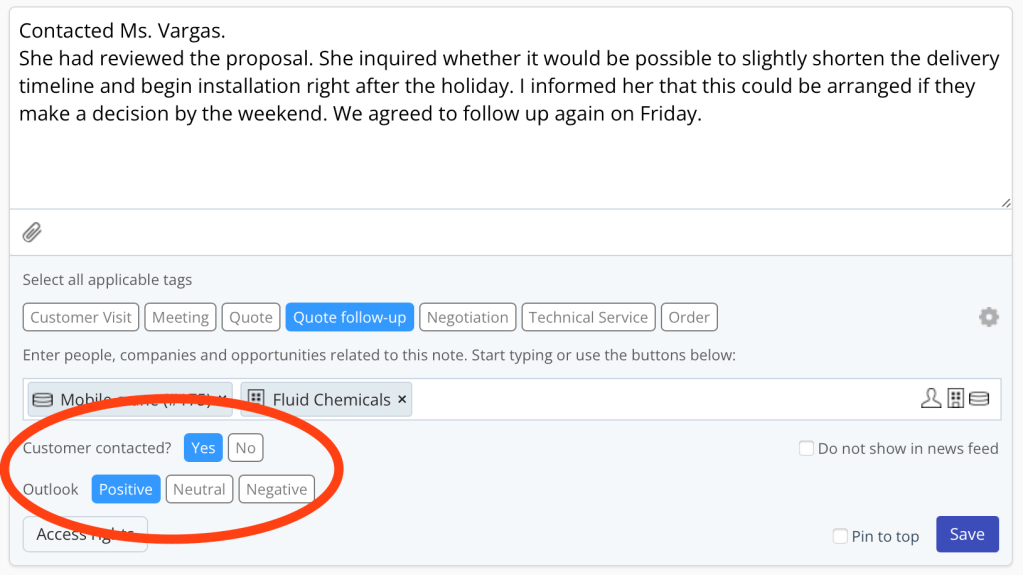
- While Writing a Note:
After customer interactions, you can select an outlook tag (positive, neutral, or negative) when writing your meeting note.
If the note is related to a customer conversation (meeting, call, received email), TeamGram will automatically prompt you to set the outlook. - Manually Updating the Opportunity:
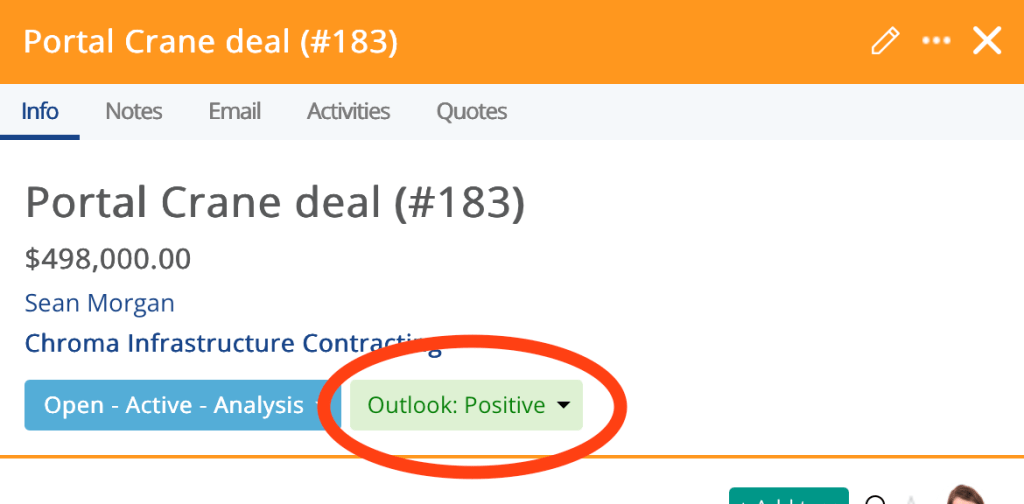
You can also directly click the outlook field inside the opportunity record and update it anytime without writing a note.
If an opportunity doesn’t have an outlook indicator yet, it simply means no assessment has been made. You can assign one anytime using either method.
What the Colors Mean Over Time
In TeamGram CRM, the brightness of the color tells you how fresh the outlook assessment is:
- Bright Color: Recently updated outlook—information is fresh.
- Faded Color: Outlook hasn’t been updated in a while—may no longer reflect reality.
Hover over the indicator to see when it was last updated.
This way, you can quickly spot opportunities that need a new assessment.
Why Outlook Indicators Matter
Prioritize High-Potential Deals
Focus on opportunities with a positive outlook to maximize your win rate and hit your targets faster.
Identify At-Risk Deals Early
Red indicators alert you to deals that need attention now—giving you a chance to rescue them before they slip away.
Help Managers Make Better Decisions
Managers can instantly assess pipeline health without digging into every deal. They can intervene faster, coach more effectively, and forecast more accurately.
Create a Healthier Pipeline
Regularly updating outlooks keeps your pipeline honest, up-to-date, and actionable—avoiding last-minute surprises at the end of the quarter.
Outlook vs. Probability: Know the Difference
Both outlook and probability help track pipeline health, but they serve different purposes:
- Probability is used for forecasting revenue and is usually assigned as a percentage (0%-100%) based on the deal’s stage.
- Outlook is a subjective, real-time assessment of how the customer relationship feels and how the deal is progressing.
It doesn’t affect forecasts directly, but it helps prioritize actions and sharpen overall pipeline visibility.
Example:
After a first meeting with a new prospect, you may not assign a high probability yet, but if the meeting went very well, you should mark the opportunity’s outlook as positive.
Best Practices for Using Outlook Indicators
- Always select an outlook tag after direct customer interactions.
- Update outlooks frequently to reflect new developments.
- Don’t leave opportunities without an assigned outlook.
- Use fresh outlooks: If you notice faded colors, revisit and refresh the status.
- Align probability and outlook carefully—but remember they serve different goals.
Final Thought
Outlook indicators in TeamGram CRM are a simple but powerful tool to help you manage your sales opportunities more effectively. They give you and your managers real-time visibility into which deals are strong, which ones need help, and where you should focus your energy next.
Start using outlook indicators consistently—and turn your pipeline into a clear, actionable roadmap to closing more deals.